

Best Tools for Capital Raisers
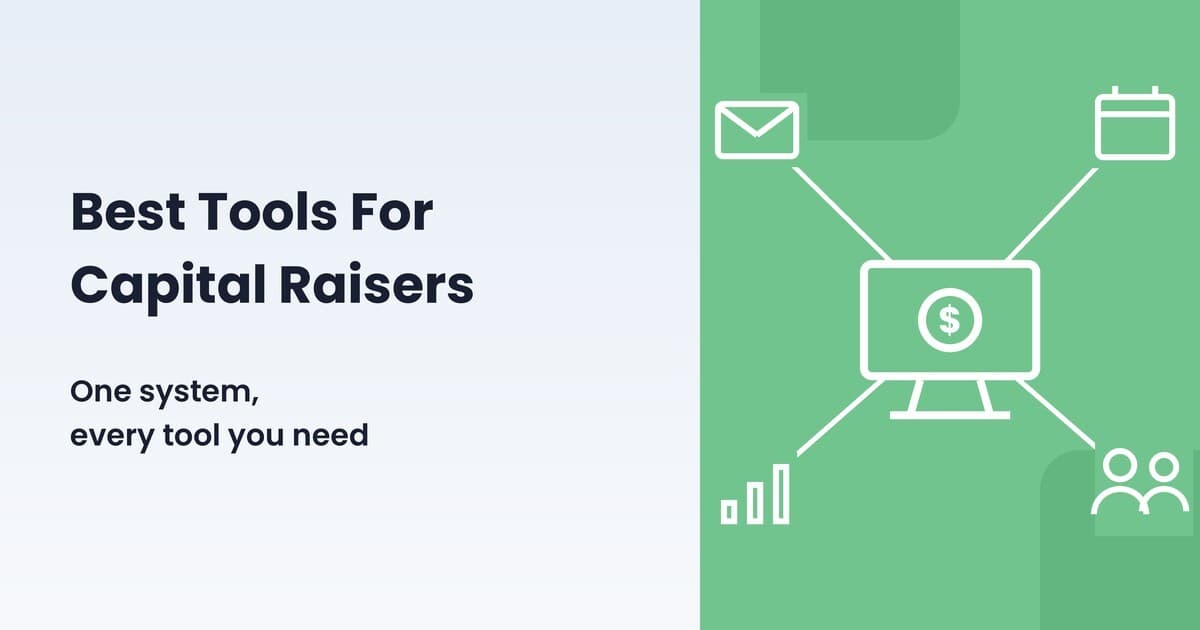
Ask a syndicator what software they use and you rarely get one answer. You get five or six. The problem isn’t that those tools are bad. Most of them are best-in-class at what they do. The problem is that every handoff between them creates another place where investor data can break. So which are the best tools for capital raisers? It depends on which phase of the raise you’re solving for. This post covers the tools most raisers start with, and what changes when the whole job runs in one system.
The Two Phases of a Capital Raise
Every capital raise has two phases. First, you find and build relationships with prospective investors: capturing leads from your website and events, nurturing them with email, tracking who’s warm and who went quiet, booking calls, moving people through a pipeline. Then, once they decide to invest, you manage the investment itself: subscription documents, accreditation, funding, distributions when the deal pays out, K-1s at tax time, and the reporting investors expect for as long as they hold a position.
Most software specializes in one phase or the other. A capital raiser needs both phases covered, and needs them talking to each other.
The Tools Most Capital Raisers Start With
The first phase is usually assembled from familiar names. HubSpot or GoHighLevel for the CRM, pipelines, and funnels. Mailchimp for email marketing. Calendly for booking investor calls. A form or landing page builder for lead capture. All of them are established products that do what they were built for well, and what they were built for is the first phase.
Here’s what each covers, and where a system purpose-built for capital raising extends further:

We compared the CRM options against Cash Flow Portal feature by feature in Best CRM for Capital Raisers. The rest of this post is about the bottom half of that chart: the second phase, and what running both phases in one system looks like.
Managing the Investment: More Than a Portal
The second phase starts with what most people picture as an investor portal: an offering page where prospective investors review the deal summary, pitch deck, and documents before committing. That page matters, since it’s what your raise looks like to the people funding it. But it’s the visible tip of a much larger system.
Underneath it sits the investment funnel. An investor creates a profile matched to how they’re investing, whether individually, through an entity, or through an IRA. They select a distribution method, complete a questionnaire, provide a W-9, and sign subscription documents electronically. For 506(c) offerings, accreditation has to be verified and tracked. Every step produces records you are responsible for keeping straight.
Then the deal performs, and distributions begin. This is where waterfalls come in: the rules that determine the order money is paid out. Investors typically get their capital back first. As returns pass certain performance milestones, called hurdles, the split between investor classes changes. Calculating that by hand across dozens or hundreds of investors, every quarter, is exactly the kind of work software should do. Cash Flow Portal takes a distribution amount, applies the waterfall with its preferred returns, hurdles, and per-class splits, calculates each investor’s payout, and sends ACH payments.
Tax season adds K-1s, which have to reach the right investor for the right entity and the right deal. And throughout the hold, investors get a dashboard: their positions, their distributions to date, their documents, without emailing you for each one.
None of this is CRM work. It’s the back office of a raise, and it’s the half of the job Cash Flow Portal was built around.
Where a Stack Starts to Strain
A stack of separate tools works, and plenty of syndicators run one today. The strain shows up in predictable places. Leads live in one system and investors in another, so the moment a lead invests, their history splits in two. Automations can only react to events their own tool can see, so the trigger a capital raiser wants most, committed but not yet funded, is out of reach of the email platform that would send the reminder. And every added subscription is another login, another renewal, and another product for each new team member to learn.
Switching is smaller than it looks from inside a stack. Existing contacts and investor records import into Cash Flow Portal, so the history you’ve built comes with you rather than starting over.
Following One Investor Through Cash Flow Portal
Cash Flow Portal covers the core of the first phase: contact tags and lists, pipelines, landing pages with embedded forms, email marketing with open and click tracking, and a built-in scheduler for investor calls. Then it continues into the second phase on the same record. The clearest way to see what that means is to follow one investor through it.

Take one investor. Call her Dana. She finds you through a landing page and fills out a deal-interest form. That form submission creates a contact and can trigger a welcome sequence automatically. Over the next month she opens your emails, clicks through to a webinar, and books a call through your scheduler link. Each touch is recorded on her profile, and her pipeline stage moves as she warms up.
When your next offering opens, Dana visits the offering page, reviews the documents, and commits $100,000. Nothing about her record splits or gets re-entered. The lead who clicked your emails and the investor who just signed subscription documents are the same contact. Five days pass and she hasn’t funded, so an automation, triggered by investment status rather than email opens, sends her a reminder. She wires the funds.
A year later the deal distributes. You enter the distribution amount, the waterfall applies, her payout is calculated with everyone else’s, and the ACH goes out. In March, her K-1 is matched to her profile. Any time in between, her dashboard shows her position, her distributions to date, and her documents.
Every step of Dana’s story usually spans three or four products. Here it’s one record in one system, which is also what makes questions like “show me committed investors who haven’t funded” answerable in seconds instead of a spreadsheet session.
Choosing the Best Tools for Your Capital Raise
If you’re early, building a list with no active deal and raising from a small circle, a light setup costs little and does the job. The part that outgrows spreadsheets first is usually phase two: distribution math and K-1 season get heavy well before the contact list does.
The calculation changes when there’s an active offering and real investor volume, because that’s when managing the investment becomes most of the work and the handoffs between tools start adding up.
Most software decisions come down to features. For capital raisers, the bigger question is where your investor data lives. A stack of separate tools splits it at exactly the moment it matters most: when a lead becomes an investor. One system keeps it whole, through both phases of the raise. If you’re weighing it, the fastest way to judge is to look at how the CRM and investor portal work as one system against your current raise.
About the author

Alex Field
Born into a real estate family, passionate about all things CRE
Related posts
Integrating Cash Flow Portal with Your CRM
By Lynette Lee | 03/26/24 | Announcements
Building strong relationships with investors is crucial for any business seeking capital. Cash Flow Portal empowers you to streamline this process by seamlessly integrating your CRM with a powerful investor portal. This integration unlocks a suite of features designed to nurture leads, convert them into Limited Partners (LPs), and keep them engaged throughout the investment […]

How to use Lead Capture Form to Drive More Investors
By Lynette Lee | 03/19/24 | Announcements
Are you tired of clunky forms hindering your investor outreach? Struggling to convert website visitors into the engaged leads you crave? Cash Flow Portal has the answer! We’re revolutionizing investor acquisition with our innovative lead capture forms, designed to streamline the process and maximize your results. Effortless Customization at Your Fingertips Imagine crafting stunning lead […]

HiHello: Network Like a Pro in the Real Estate Syndication World
By Lynette Lee | 03/19/24 | Announcements
As a real estate general partner (GP), your network is the lifeblood of your success. Building strong relationships with investors and partners fuels deal flow and propels your business forward. But managing those connections and endless business cards can be a logistical nightmare. Enter HiHello, the innovative virtual business card platform that streamlines networking and […]
Most popular posts
 AI for Capital Raisers07/08/26 | Guides for syndicators
 Best CRM for Capital Raisers07/01/26 | Guides for syndicators
 The 10 Hottest Cities to Invest in Real Estate Before 202507/20/22 | Announcements
 Bonus Depreciation for Real Estate Professionals09/09/21 | Passive investor guides
 Free tools to help you develop your real estate syndication blog in 202108/06/21 | Guides for syndicators
Categories


 Seattle, WA







Products
Capital raising
Why Cash Flow PortalEquity raising simplifiedFunds on Cash Flow PortalCo-sponsorsCustom brandingInvestor portal
Investor managementGP / Co-GP dualityDistributionsLP experienceK1s / documentsReporting and updatesAccreditation / KYC / AMLReal estateBanking
Integrated bankingLeads
New leads©2026 All rights reserved. Cash Flow Portal Inc.